Design System Case Studies
Design System Case Studies
Design System Case Studies
Build systems that scale, rooted from real product problems.
Build systems that scale, rooted from real product problems.
Build systems that scale, rooted from real product problems.

Project Background
Project Background
Project Background
As the product expanded in features and use cases, our team began to face growing design challenges, such as inconsistent visual language across screens, a lack of shared decision rules for key interactions, and existing gaps amplified by multi-language, dynamic font size, and device variations
As the product expanded in features and use cases, our team began to face growing design challenges, such as inconsistent visual language across screens, a lack of shared decision rules for key interactions, and existing gaps amplified by multi-language, dynamic font size, and device variations
My role
In addition to building, organizing, and refining components for product initiatives, I was also responsible for:
In addition to building, organizing, and refining components for product initiatives, I was also responsible for:
1
1
Audit long-standing UX and component inconsistencies across product
Audit long-standing UX and component inconsistencies across product
2
2
Define design system guidelines shared across design, product, and engineering
Define design system guidelines shared across design, product, and engineering
3
3
Initiate design system improvement requests, drove implementation, and ensured consistent delivery quality
Initiate design system improvement requests, drove implementation, and ensured consistent delivery quality
Case 01
Case 01
Case 01
Visual Hierarchy: Shadow Guidelines
Visual Hierarchy: Shadow Guidelines
During brand redesign, shadows were widely adopted to convey elevation and hierarchy, but the team lacked clear rules for when to use them. This led to the following inconsistencies across the product:
During brand redesign, shadows were widely adopted to convey elevation and hierarchy, but the team lacked clear rules for when to use them. This led to the following inconsistencies across the product:
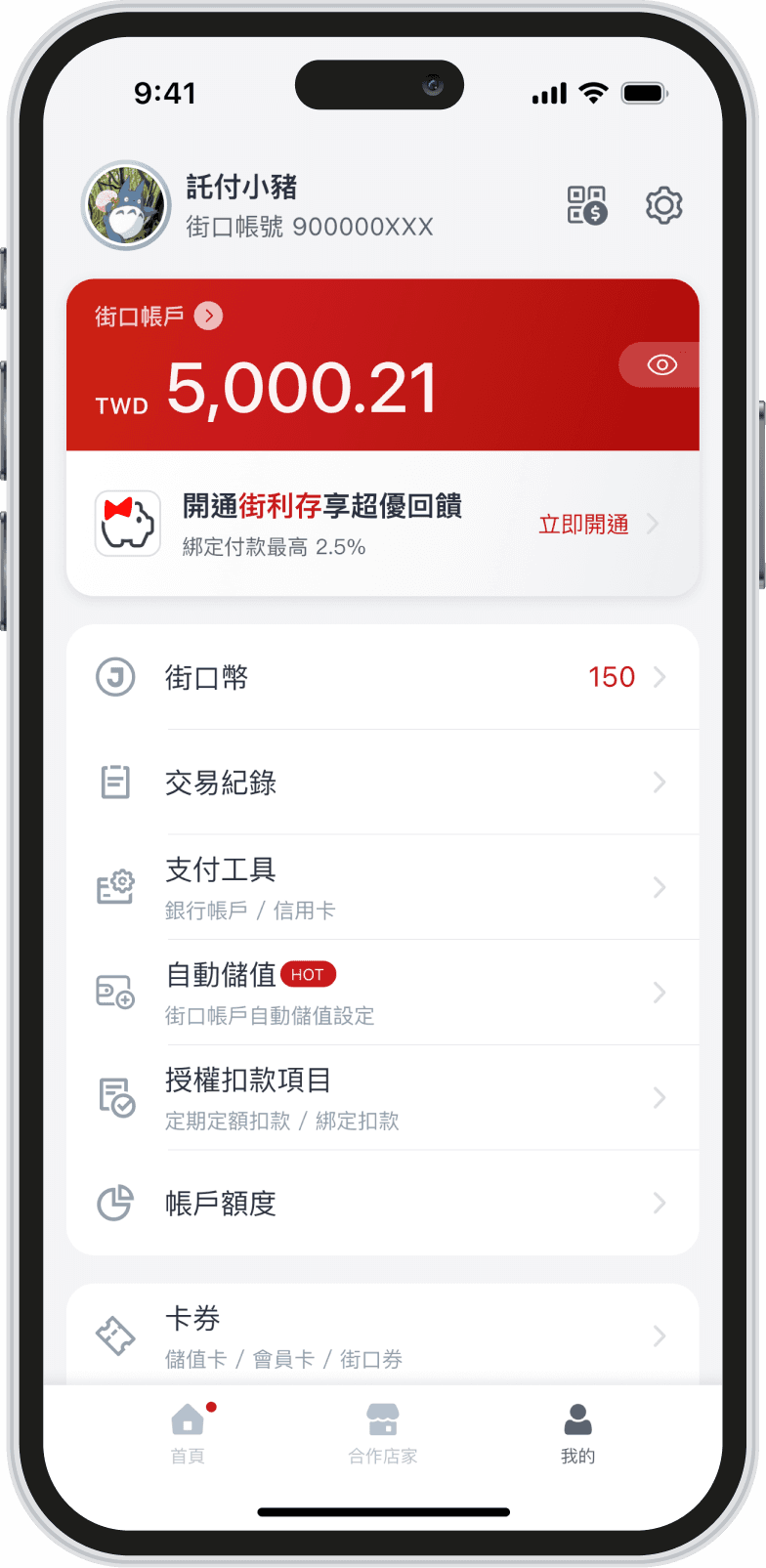
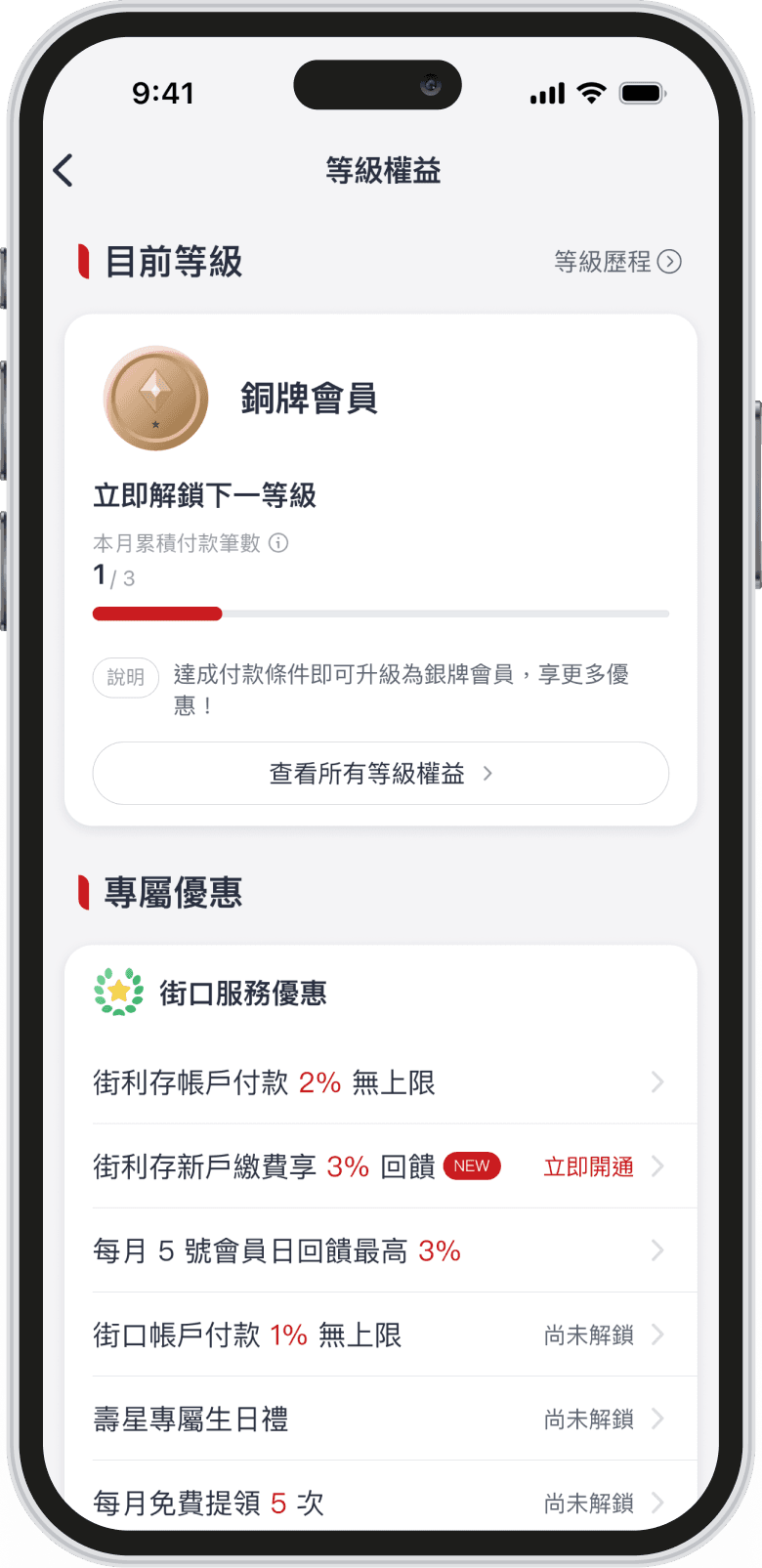
Inconsistent shadow usage across the same type of screens
Inconsistent shadow usage across the same type of screens
Some screens used no shadows at all, while others overused them
Some screens used no shadows at all, while others overused them
Shadows gradually became decorative rather than a hierarchy signal
Shadows gradually became decorative rather than a hierarchy signal
None applied
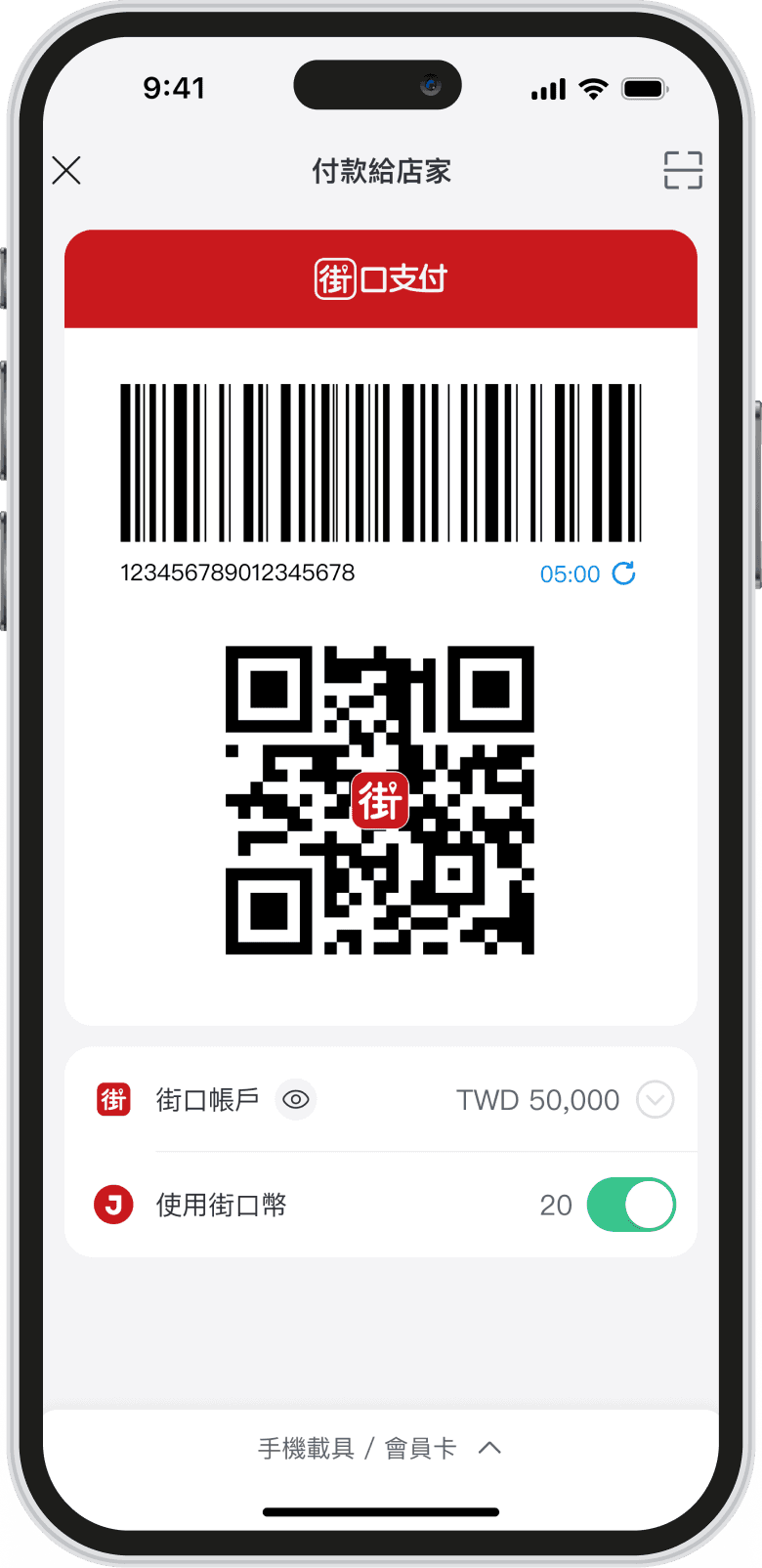
Partially applied
Applied all
Screen Audit
Screen Audit
Audited and analyzed how shadows were used across product, mapping each usage to its context to inform consistent guidelines
Audited and analyzed how shadows were used across product, mapping each usage to its context to inform consistent guidelines
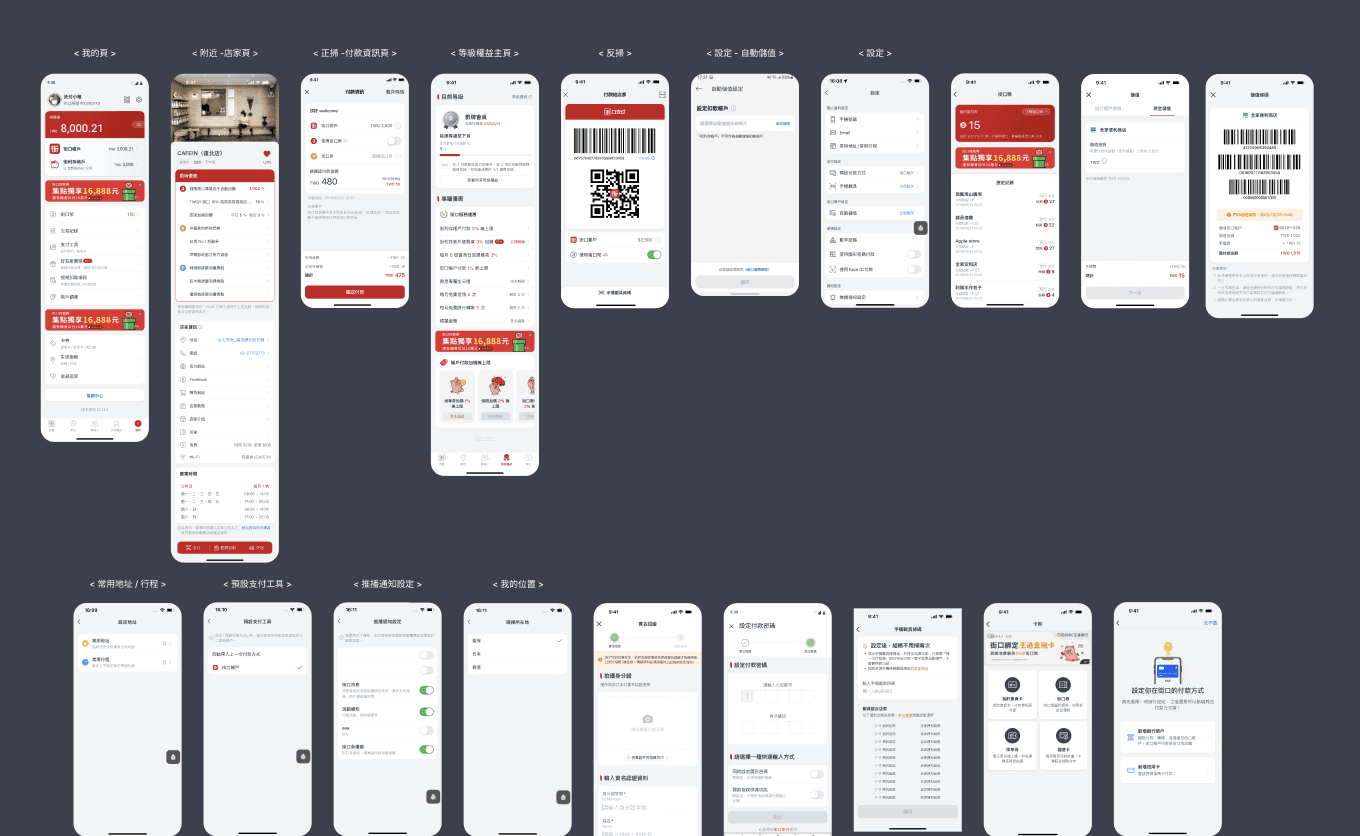
Token Consolidation
Reduced the shadow tokens and defined use cases and rules for each elevation level to minimize misuse and improve visual consistency.
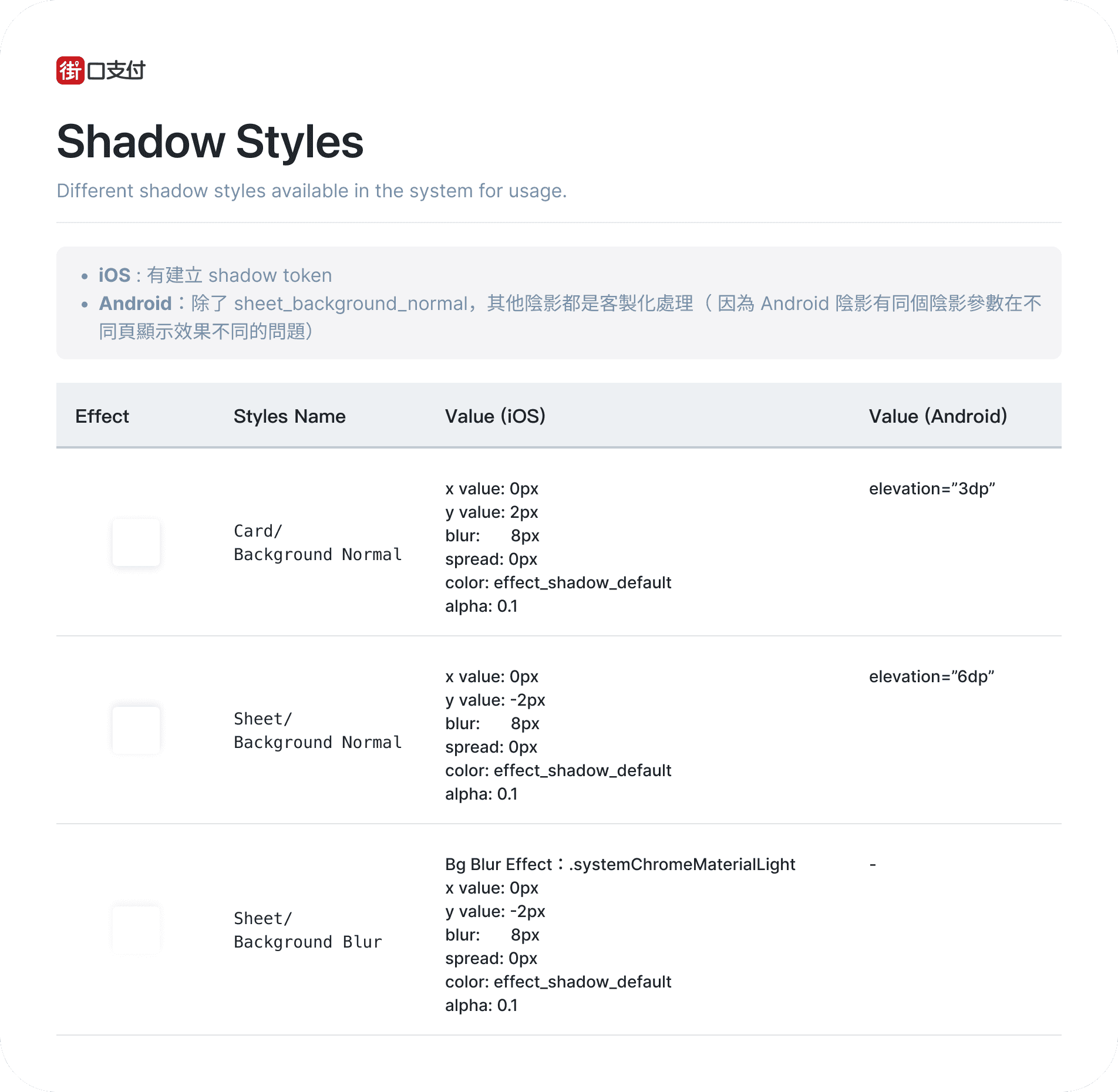
Token Consolidation
Reduced the shadow tokens and defined use cases and rules for each elevation level to minimize misuse and improve visual consistency.
Token Consolidation
Reduced the shadow tokens and defined use cases and rules for each elevation level to minimize misuse and improve visual consistency.
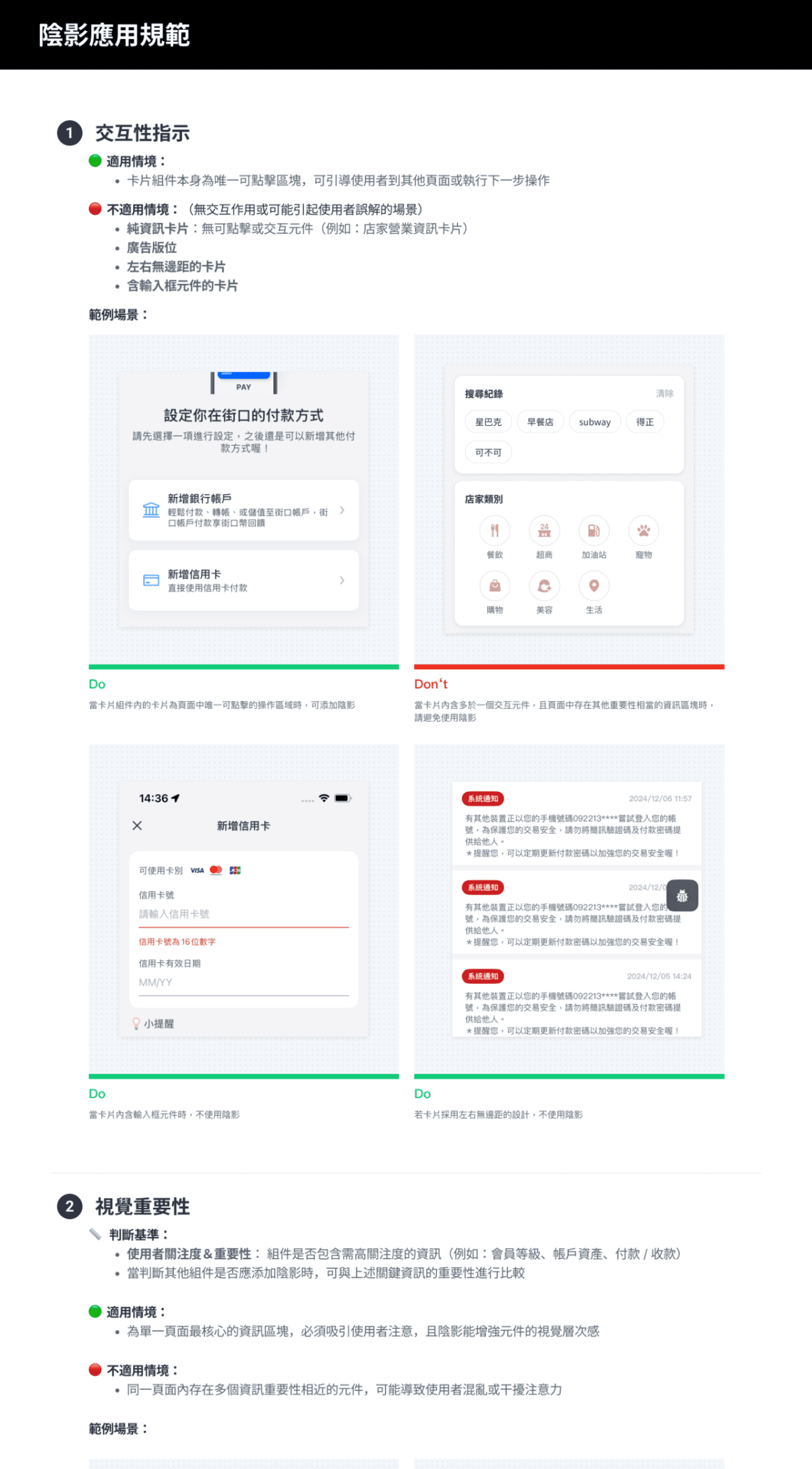
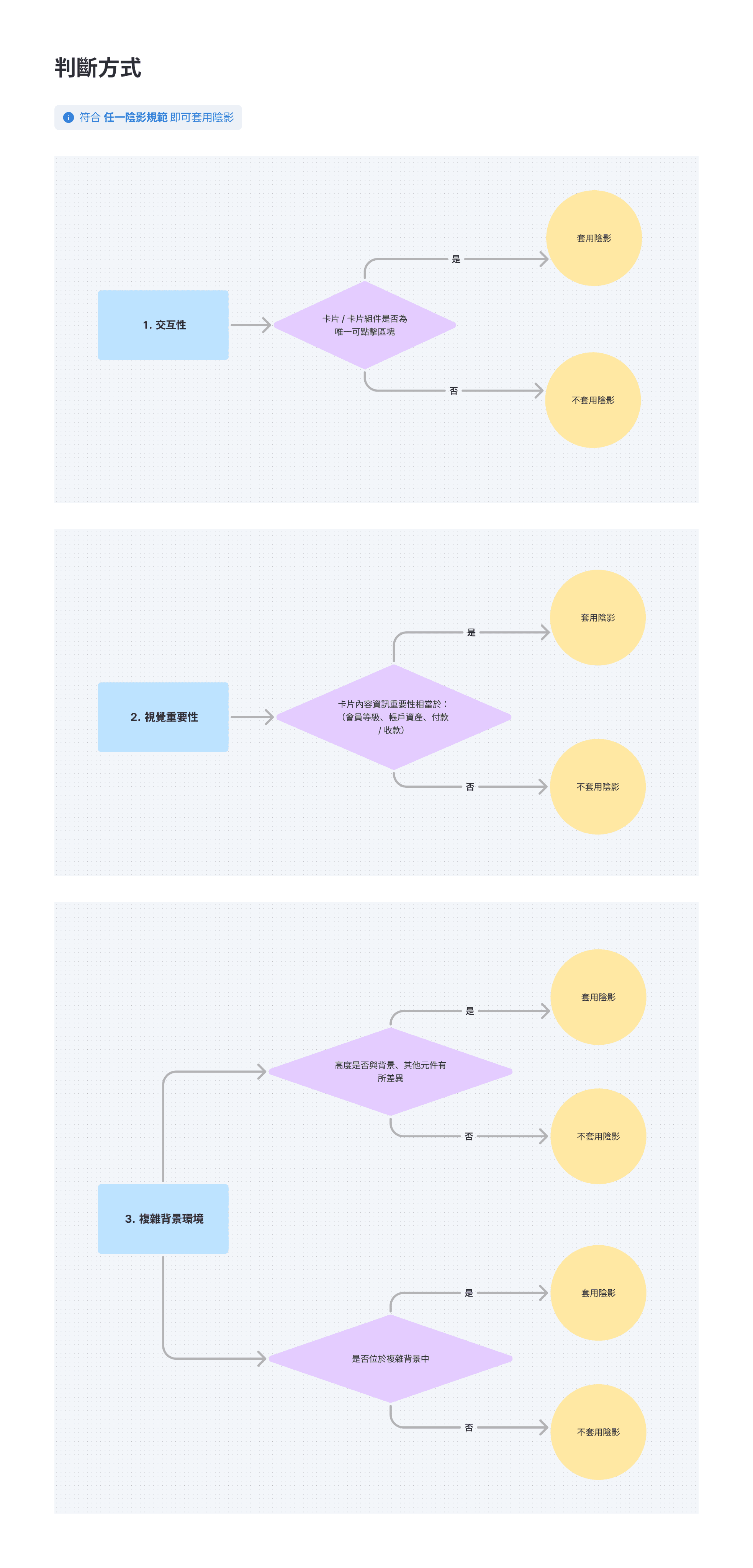
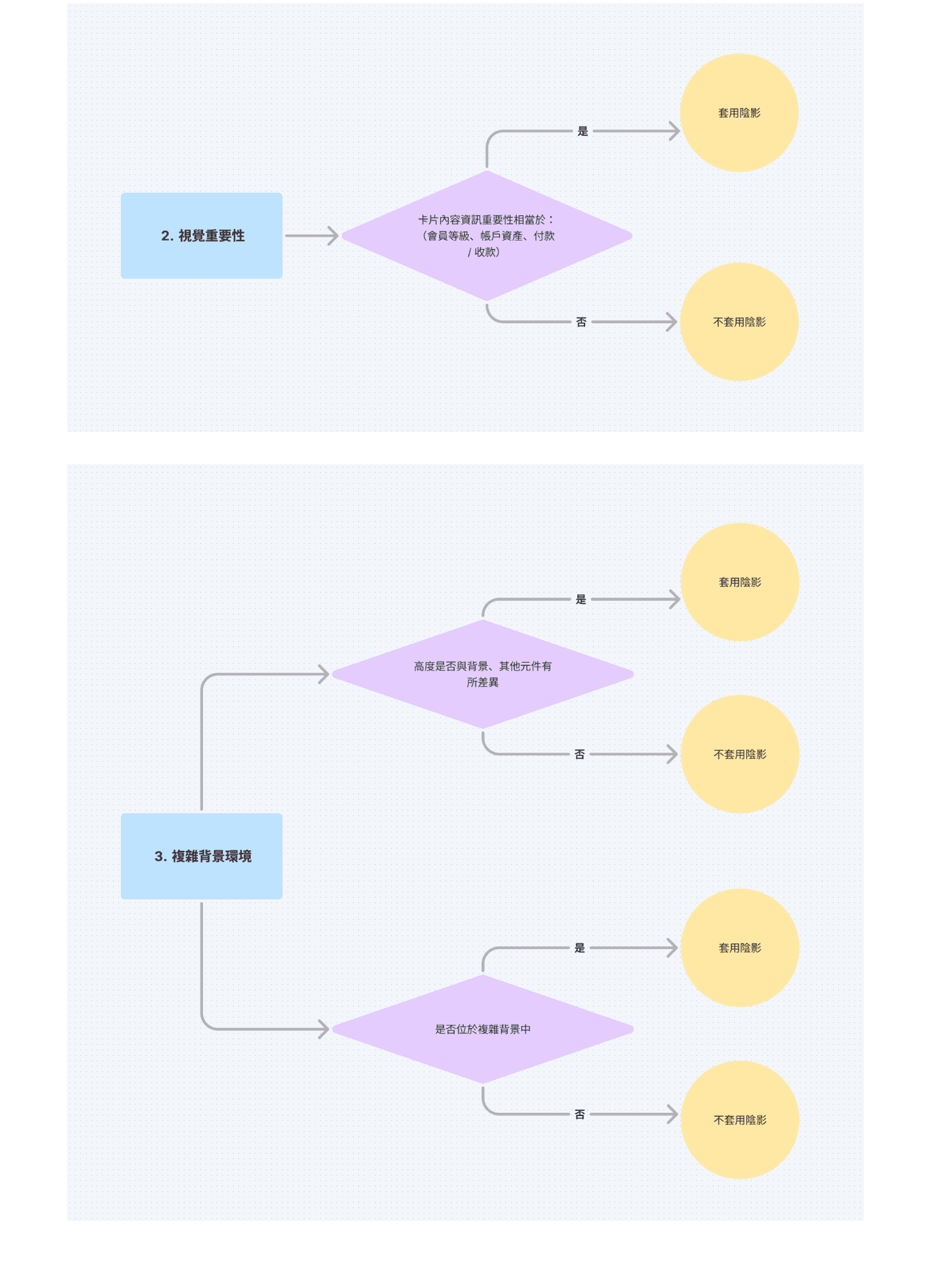
Design Decision Framework
Design Decision Framework
Established a clear decision process for shadow usage to reduce designer effort and maintain consistent visual hierarchy across the product
Established a clear decision process for shadow usage to reduce designer effort and maintain consistent visual hierarchy across the product
Shadow Guidelines
Created practical shadow-application guidelines that designers can reference during handoff, reducing misuse risk and uncertainty in design decisions
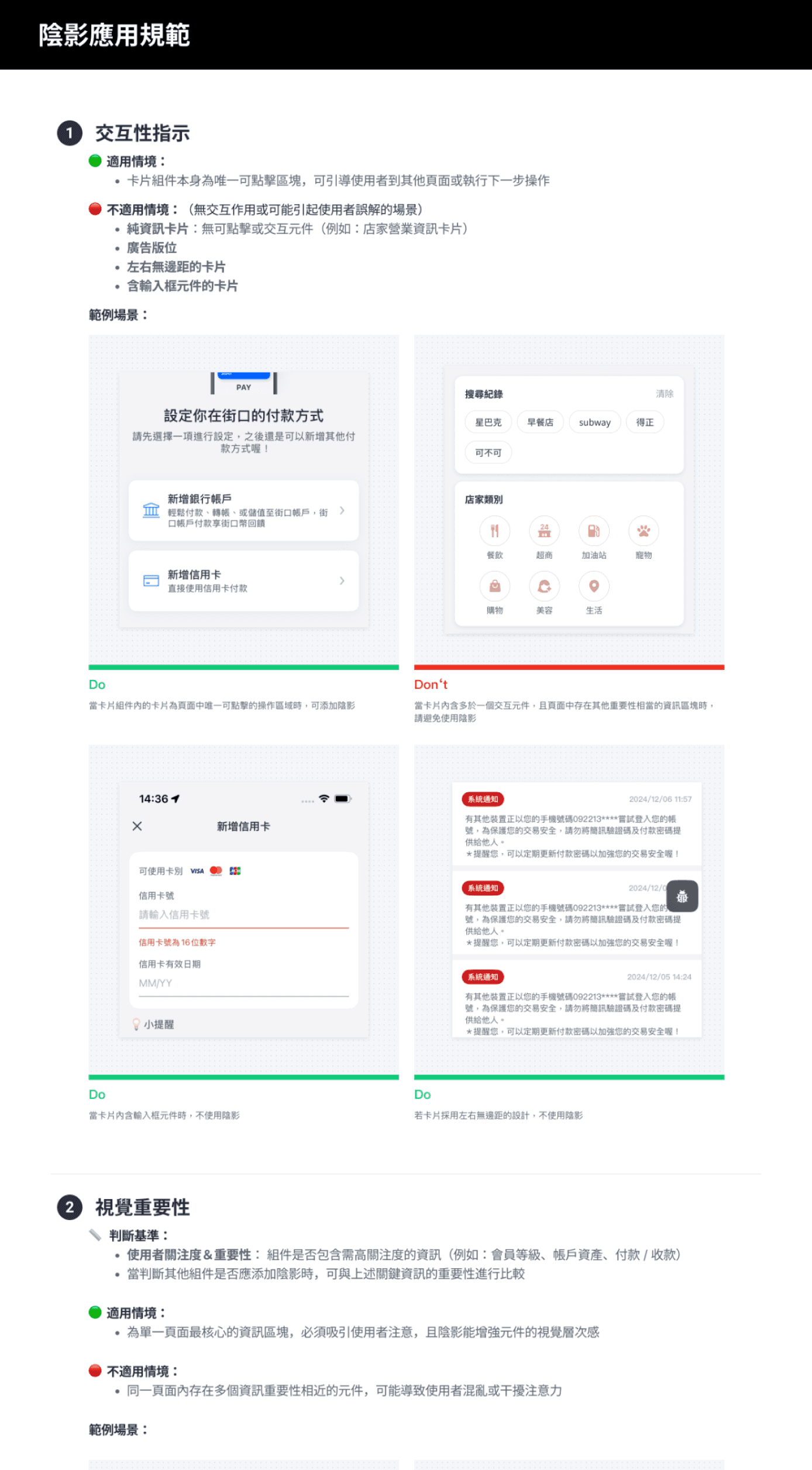
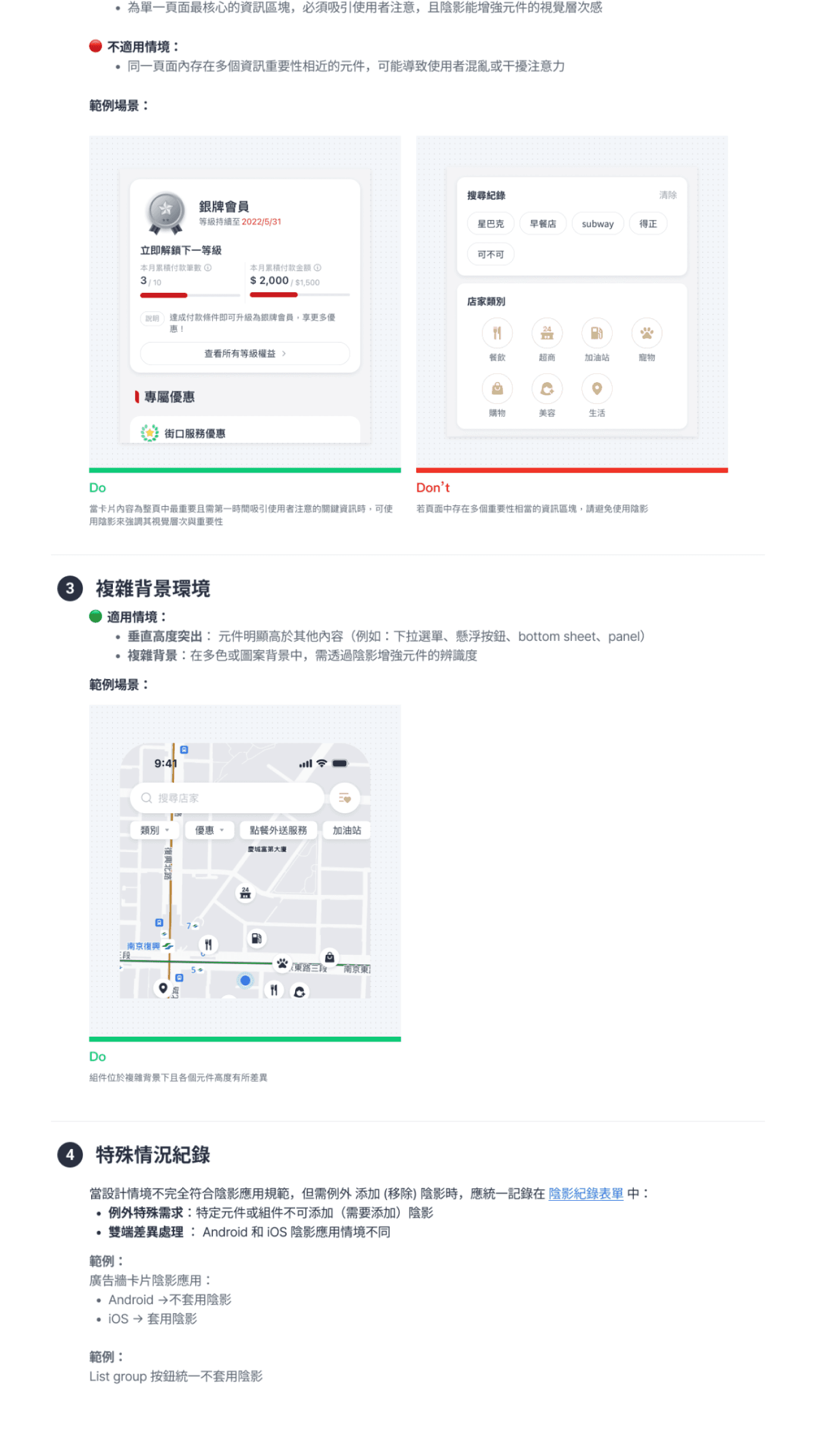
Shadow Guidelines
Created practical shadow-application guidelines that designers can reference during handoff, reducing misuse risk and uncertainty in design decisions
Shadow Guidelines
Created practical shadow-application guidelines that designers can reference during handoff, reducing misuse risk and uncertainty in design decisions
Key Performance
Key Performance
Consistent Visual Hierarchy
Consistent Visual Hierarchy
Designers
Designers
Stopped interpreting shadow usage individually and applied a shared set of rules to convey hierarchy.
Stopped interpreting shadow usage individually and applied a shared set of rules to convey hierarchy.
Users
Users
Enable to scan pages more quickly and understand structure across screens, reducing cognitive load.
Enable to scan pages more quickly and understand structure across screens, reducing cognitive load.
Verifiable System Decisions
Verifiable System Decisions
Shifted discussions from personal preference to a system-based, rule-driven decision process, improving consistency in design quality.
Shifted discussions from personal preference to a system-based, rule-driven decision process, improving consistency in design quality.
Enhance Cross-Functional Efficiency
Enhance Cross-Functional Efficiency
Shared the consolidated shadow tokens and guidelines with engineering, clarifying when each token should be used and reducing implementation errors and rework
Shared the consolidated shadow tokens and guidelines with engineering, clarifying when each token should be used and reducing implementation errors and rework
Case 02
Case 02
Case 02
Behavior Consistency: Keyboard Interaction Guidelines
Behavior Consistency: Keyboard Interaction Guidelines
In input scenarios across the product, keyboard-invoked interactions lacked a system-level definition and guidelines, resulting in:
In input scenarios across the product, keyboard-invoked interactions lacked a system-level definition and guidelines, resulting in:
Fixed buttons were inconsistent: sometimes they moved with the keyboard, sometimes they stayed fixed
Fixed buttons were inconsistent: sometimes they moved with the keyboard, sometimes they stayed fixed
In multi-field forms, key content was obscured due to the layout
In multi-field forms, key content was obscured due to the layout
Keyboard interactions can disrupt multi-field input flow and reduce completion efficiency
Keyboard interactions can disrupt multi-field input flow and reduce completion efficiency
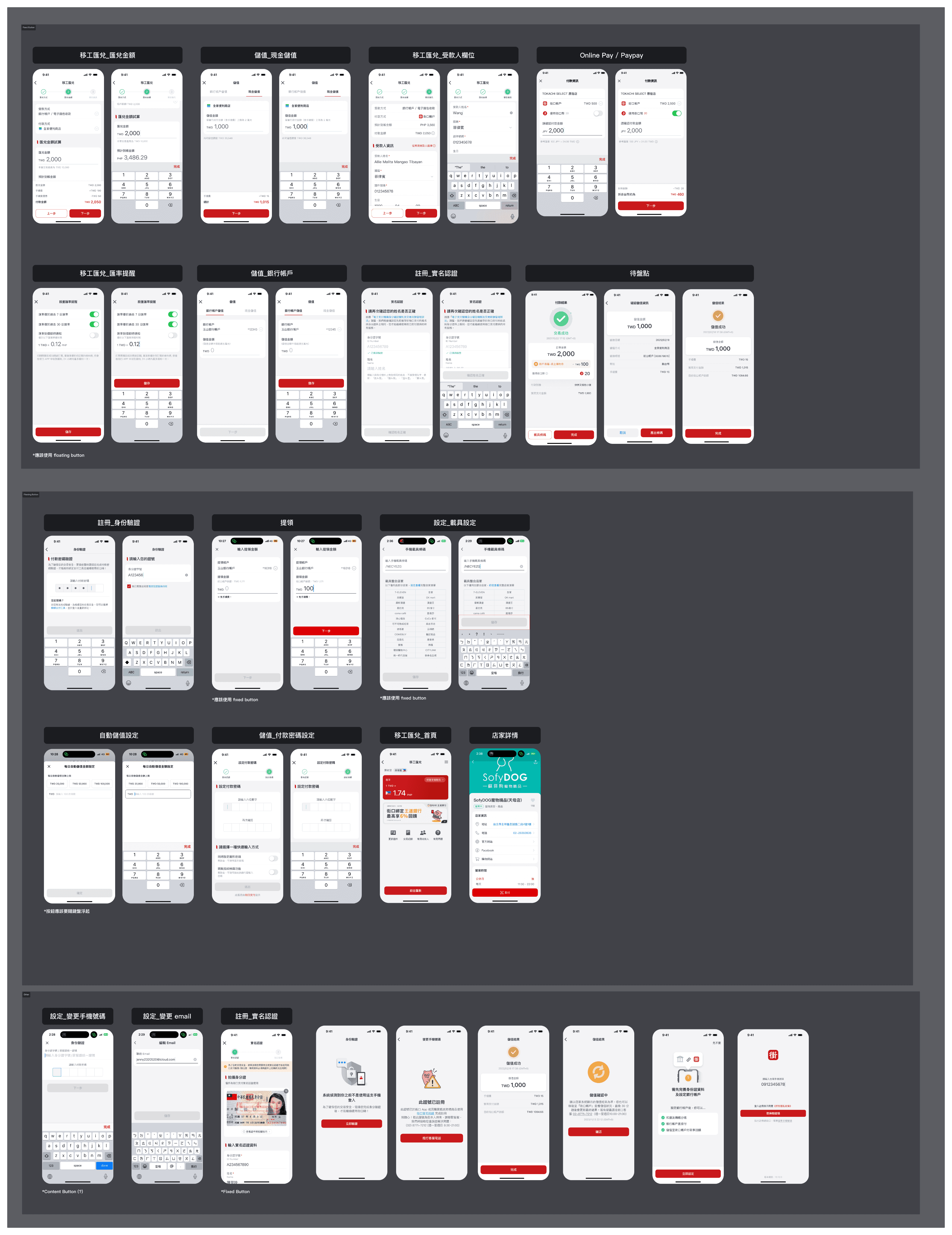
Screen Audit & Analysis
Screen Audit & Analysis
Reviewed and grouped existing button + keyboard behaviors across the product to identify the current rules in different input scenarios, then used them as a baseline to improve form UX.
Reviewed and grouped existing button + keyboard behaviors across the product to identify the current rules in different input scenarios, then used them as a baseline to improve form UX.
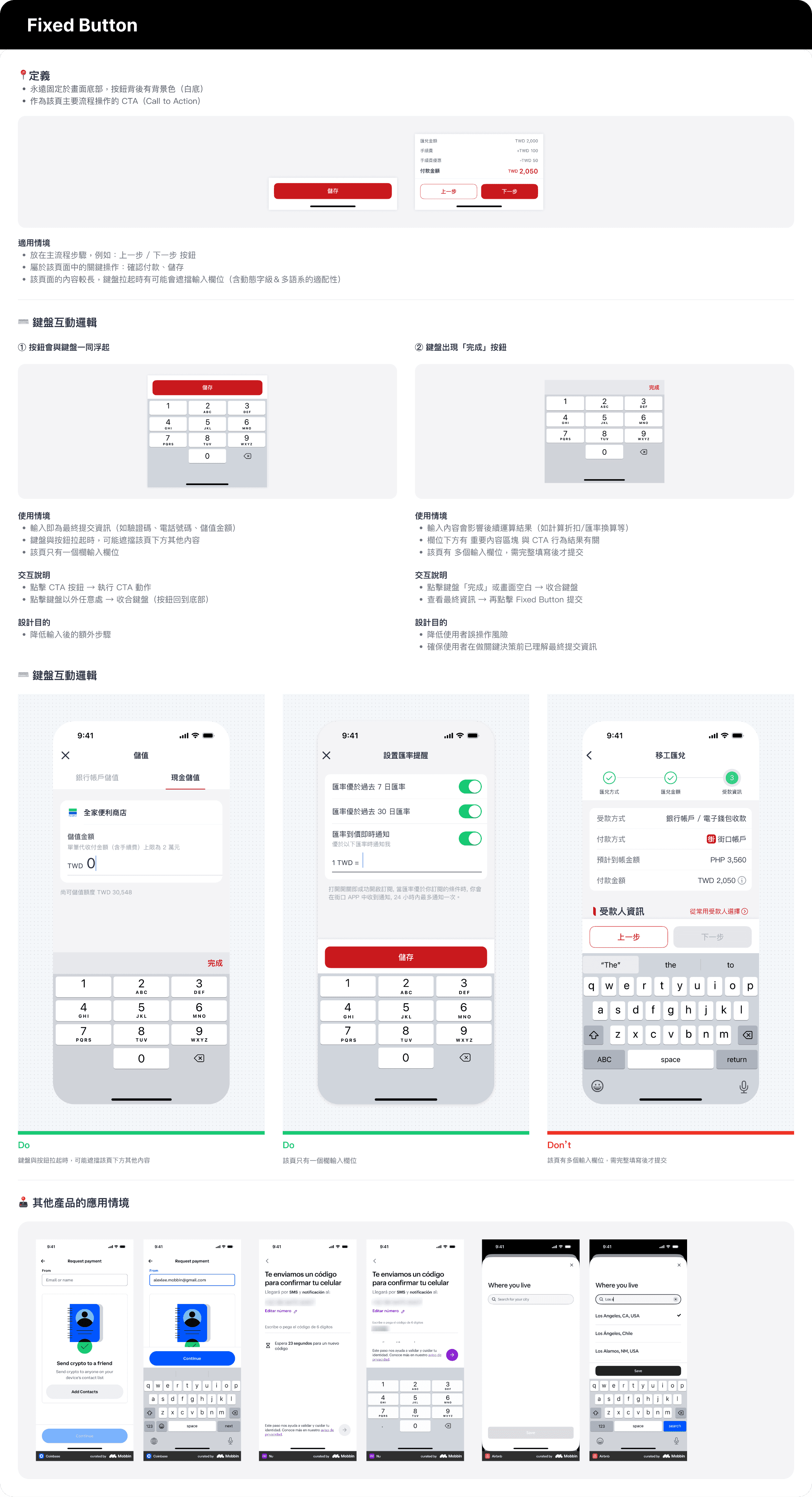
Design Research
Compared keyboard interaction patterns from other products and design systems, and converted the the findings into actionable guidelines for our team to adopt.
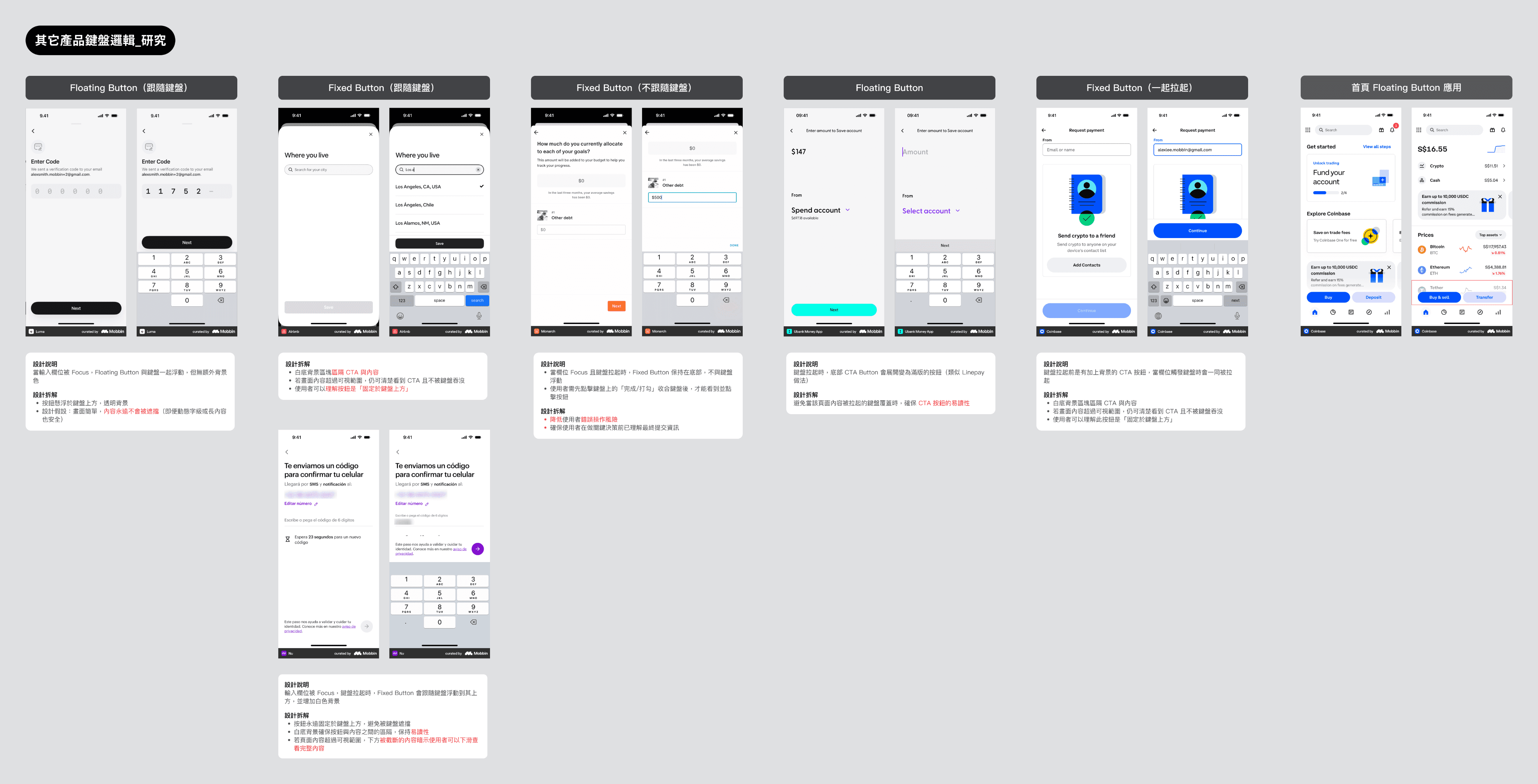
Design Research
Compared keyboard interaction patterns from other products and design systems, and converted the the findings into actionable guidelines for our team to adopt.
Design Research
Compared keyboard interaction patterns from other products and design systems, and converted the the findings into actionable guidelines for our team to adopt.
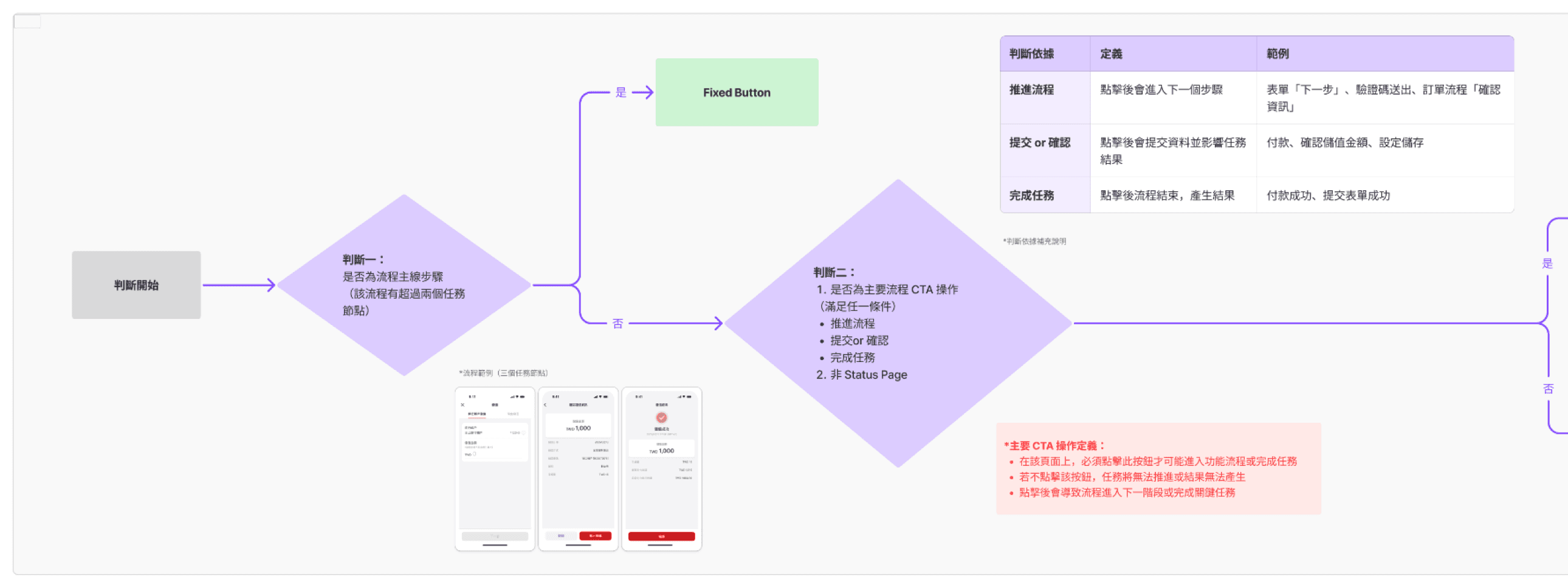
Decision Framework
Decision Framework
Defined a clear decision flow so designers can make consistent interaction choices across input scenarios, reducing trial-and-error and improving design efficiency.
Defined a clear decision flow so designers can make consistent interaction choices across input scenarios, reducing trial-and-error and improving design efficiency.

Keyboard Interaction Guidelines
Established principles and scenario-based rules for keyboard behavior that designers can reference in handoff, improving consistency and cross-team alignment
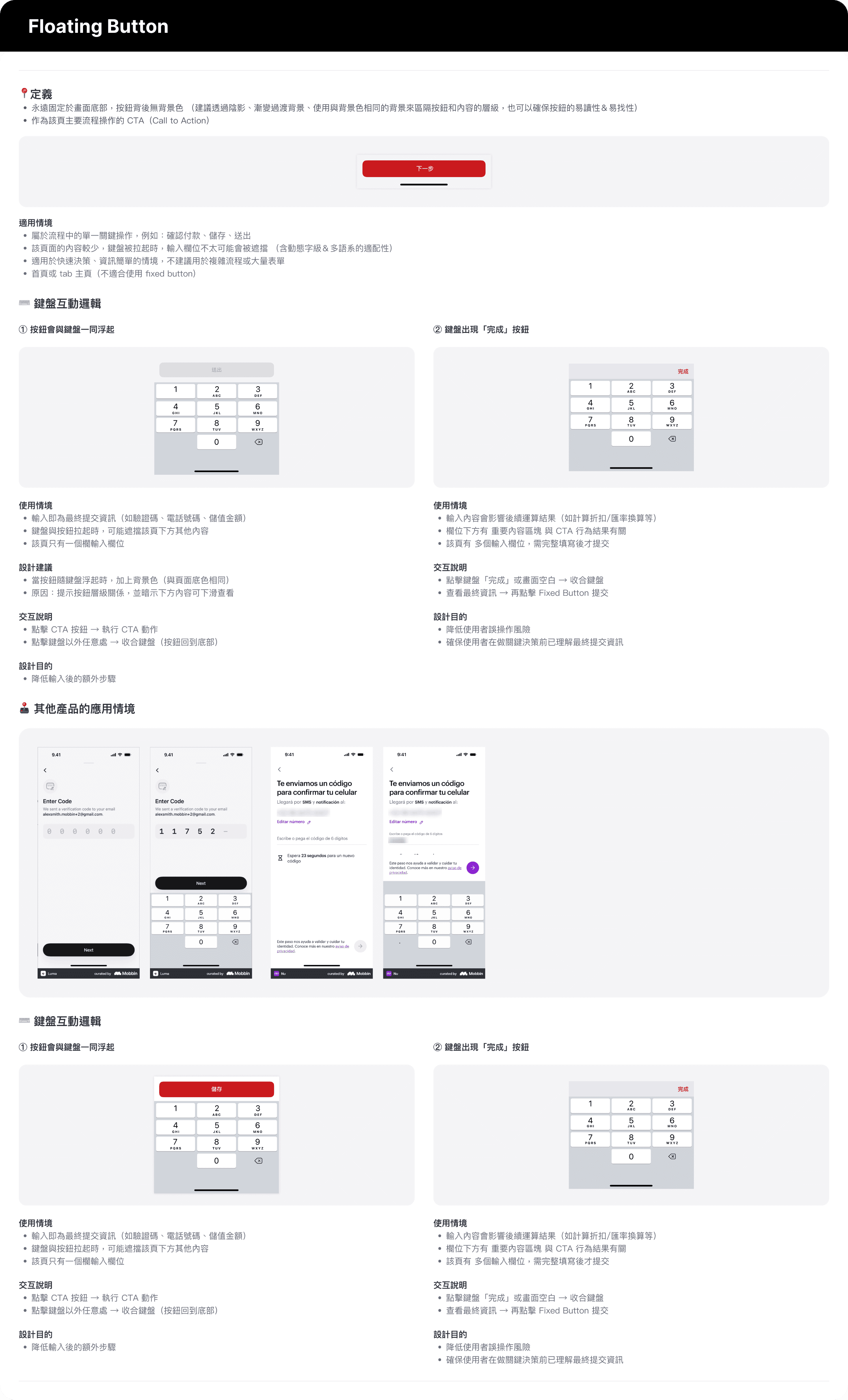
Keyboard Interaction Guidelines
Established principles and scenario-based rules for keyboard behavior that designers can reference in handoff, improving consistency and cross-team alignment
Keyboard Interaction Guidelines
Established principles and scenario-based rules for keyboard behavior that designers can reference in handoff, improving consistency and cross-team alignment
Key Performance
Key Performance
Consistent Input Experience Across Scenarios
Consistent Input Experience Across Scenarios
Defined clear rules for keyboard and fixed-button behavior, ensuring consistent logic for both single- and multi-field flows.
Defined clear rules for keyboard and fixed-button behavior, ensuring consistent logic for both single- and multi-field flows.
Improved Design Quality & Speed
Improved Design Quality & Speed
Designers can follow the decision framework and reuse the guidelines directly in projects, reducing repeated decisions and speeding up delivery.
Designers can follow the decision framework and reuse the guidelines directly in projects, reducing repeated decisions and speeding up delivery.
More Efficient Handoff & Collaboration
More Efficient Handoff & Collaboration
Clear specs and behavior definitions enabled engineers to implement accurately with less back-and-forth disucissions and revisions.
Clear specs and behavior definitions enabled engineers to implement accurately with less back-and-forth disucissions and revisions.
Case 03
Case 03
Case 03
Multilingual UI: Button Guidelines
Multilingual UI: Button Guidelines
During localization, we found recurring button-label issues, including:
During localization, we found recurring button-label issues, including:
Labels were too long, reducing readability on small devices or with dynamic type enabled.
Labels were too long, reducing readability on small devices or with dynamic type enabled.
Side-by-side buttons overflowed in some layouts.
Side-by-side buttons overflowed in some layouts.
Button wording was inconsistent across screens.
Button wording was inconsistent across screens.
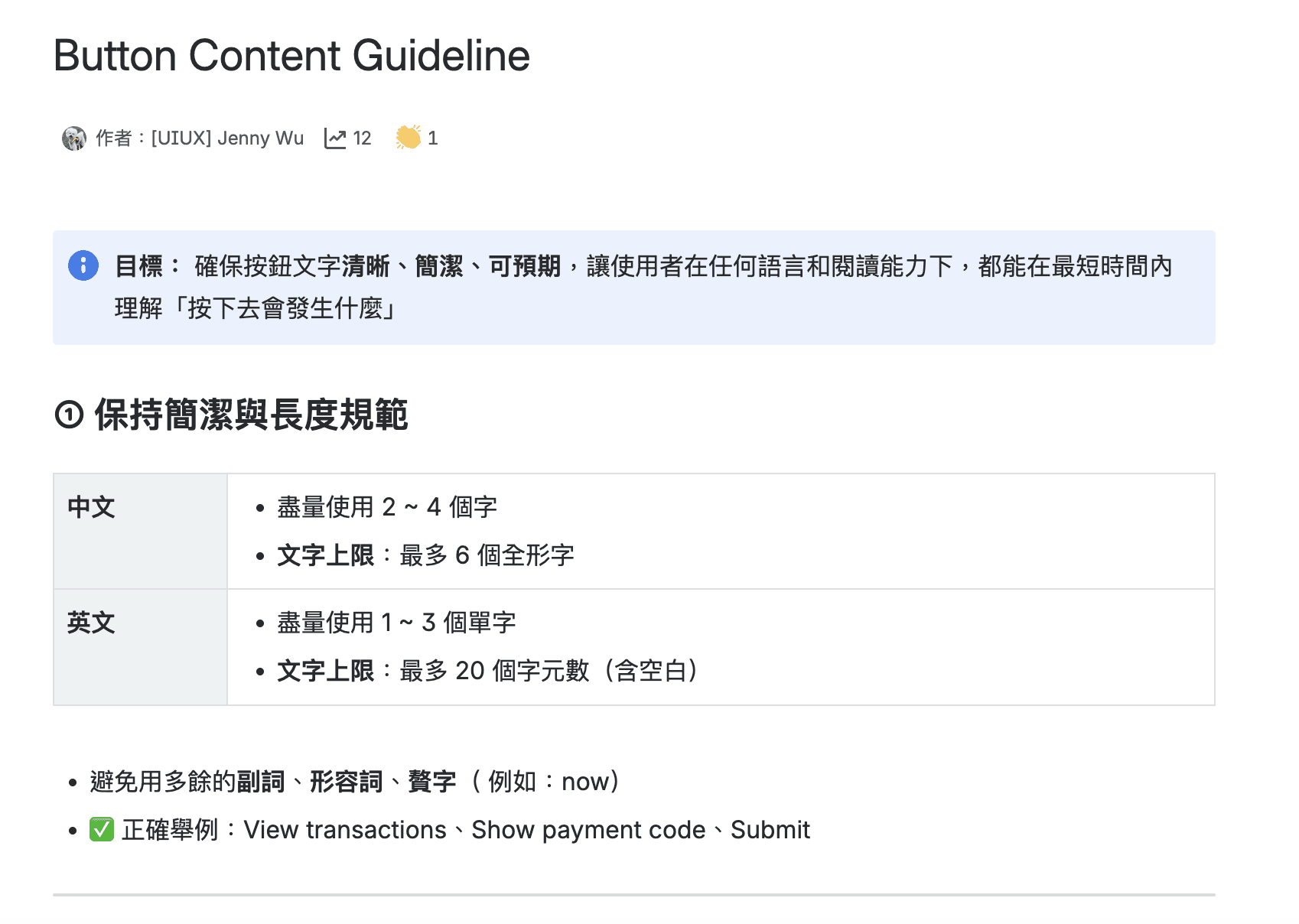
Problem Breakdown
Component lacked rules for handling long labels on fixed buttons.
PMs had no UX writing guidelines to refer to, so labels were often literal translations.
Truncated primary-action labels increased the risk of mis-click and errors.
Problem Breakdown
Component lacked rules for handling long labels on fixed buttons.
PMs had no UX writing guidelines to refer to, so labels were often literal translations.
Truncated primary-action labels increased the risk of mis-click and errors.
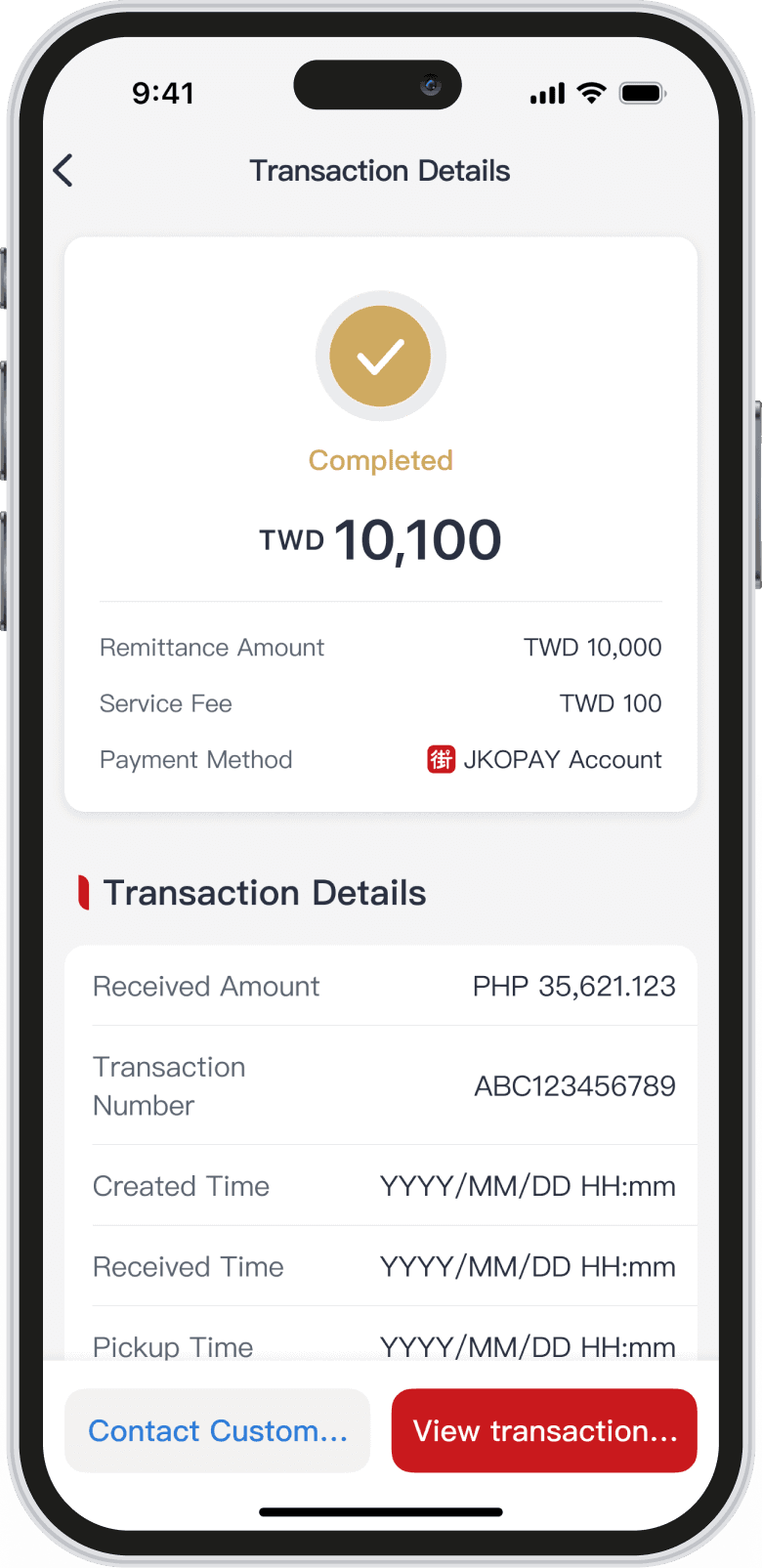
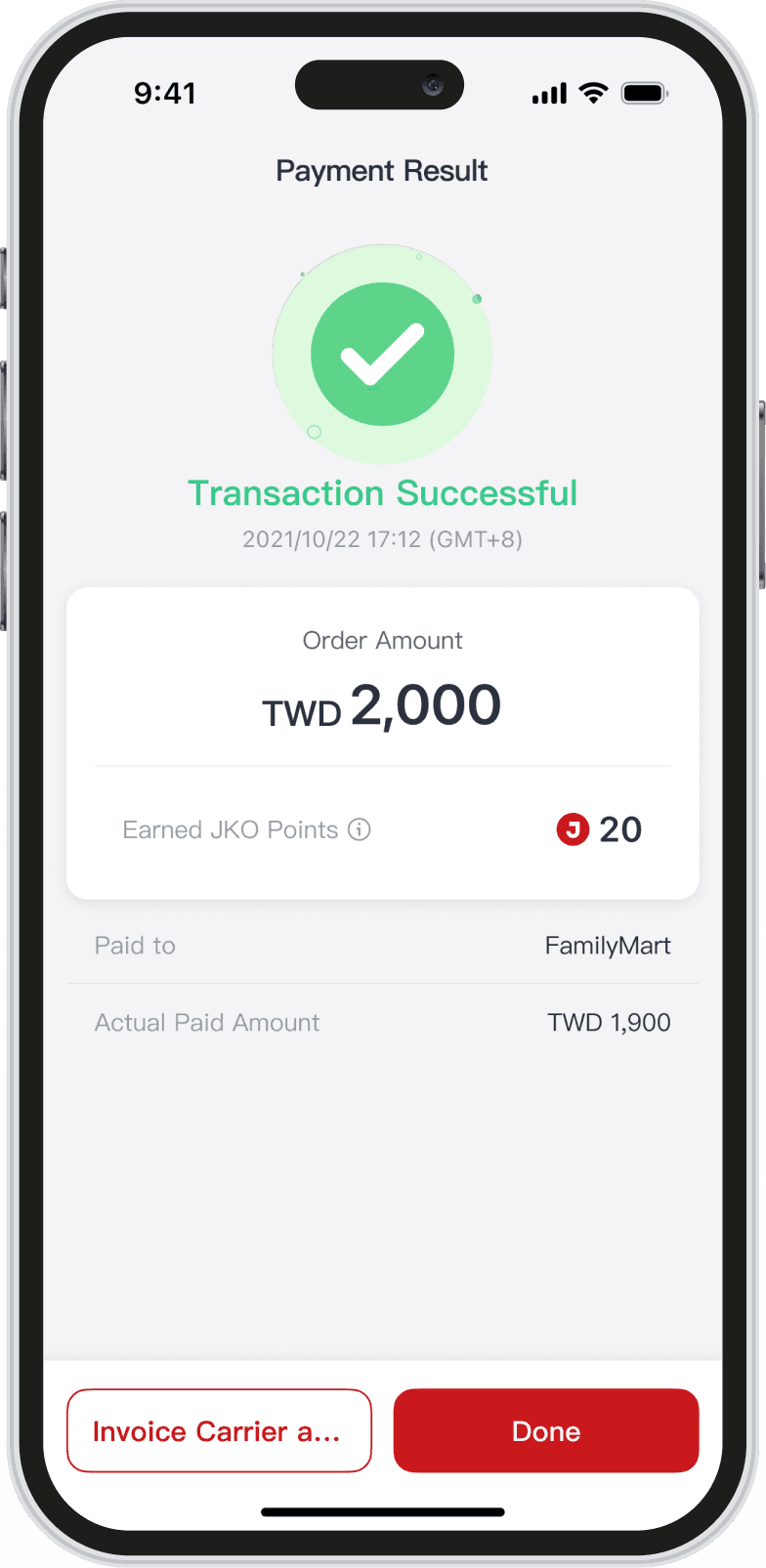
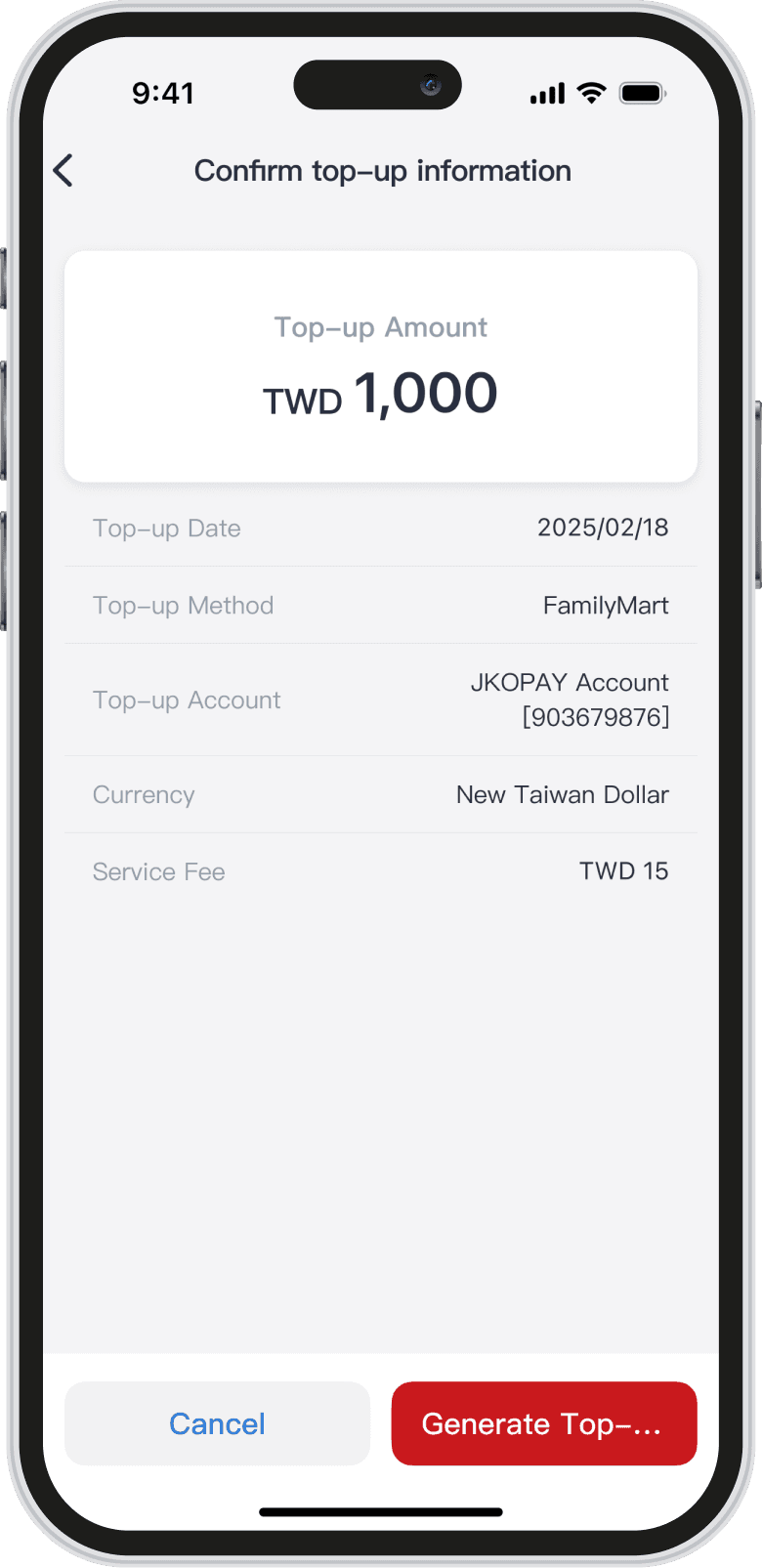
Audit & Testing
Audit & Testing
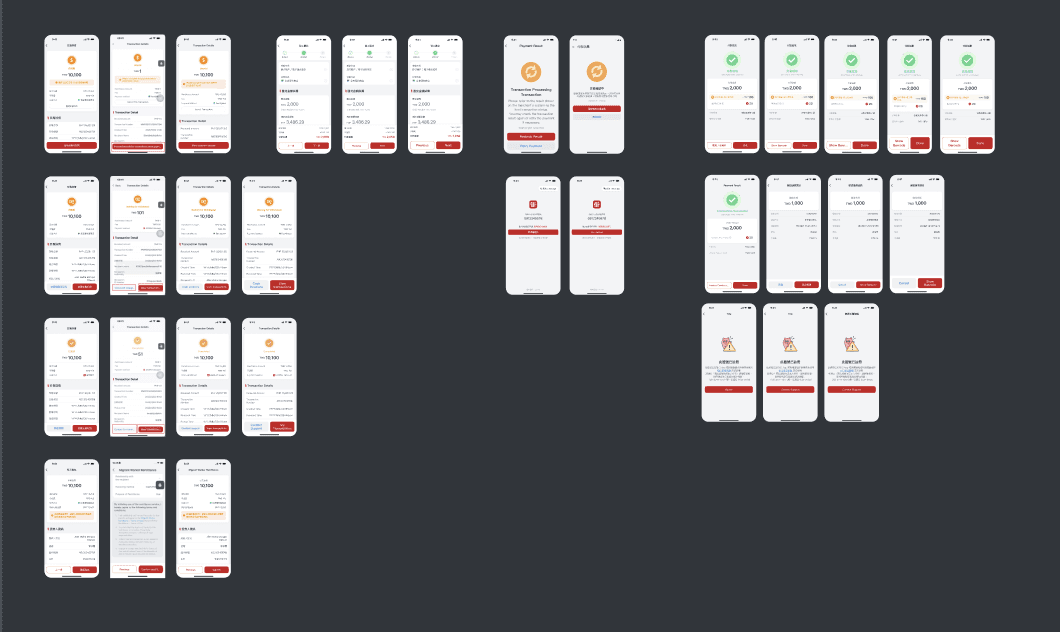
Tested affected screens on real devices across different screen sizes and Dynamic Type settings to verify how button labels render in each scenario and identify risks.
Tested affected screens on real devices across different screen sizes and Dynamic Type settings to verify how button labels render in each scenario and identify risks.
Design System Benchmarking
Reviewed major design systems and product patterns for handling long button labels, and generated a strategy that fits our product constraints.
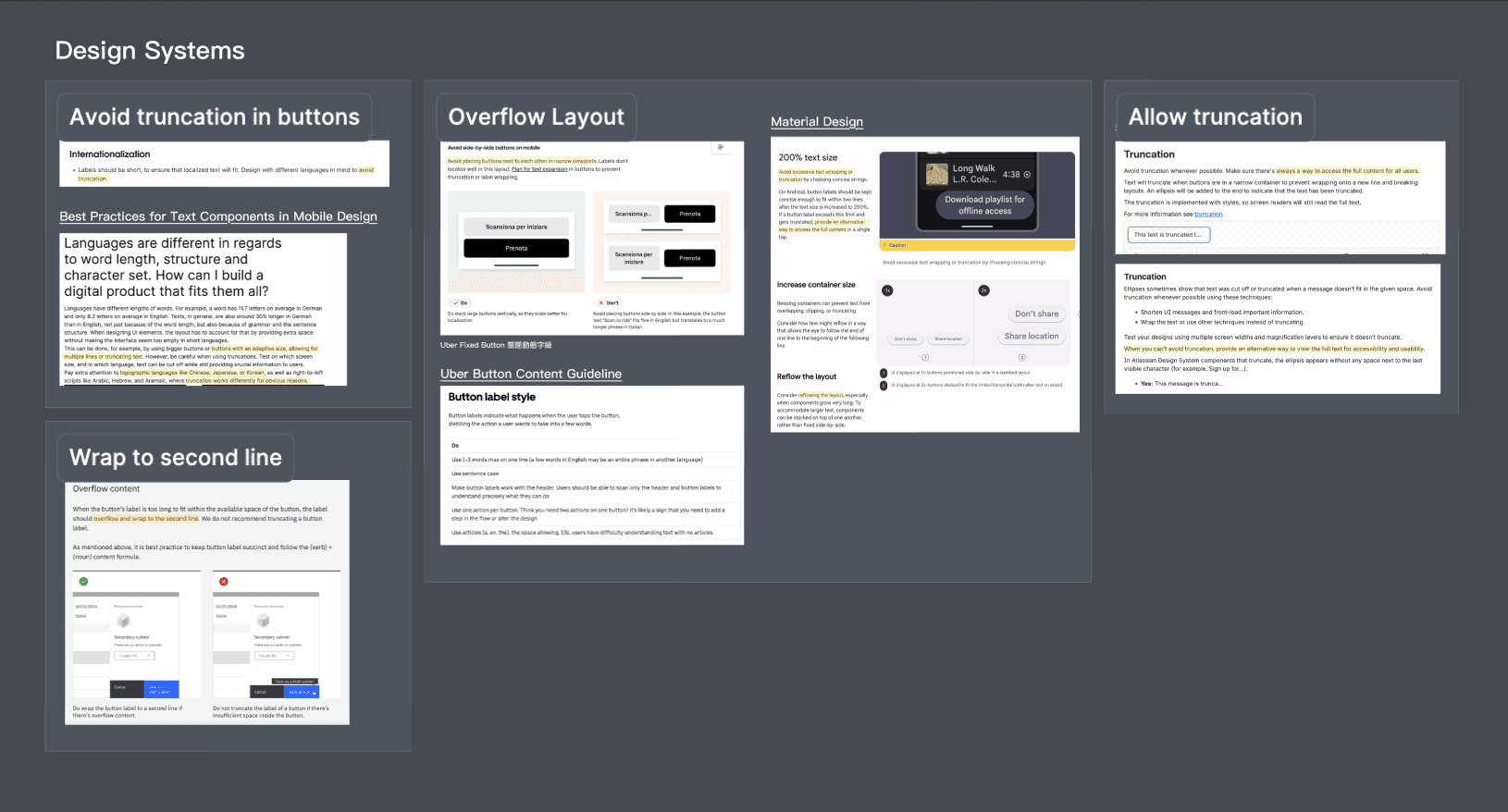
Design System Benchmarking
Reviewed major design systems and product patterns for handling long button labels, and generated a strategy that fits our product constraints.
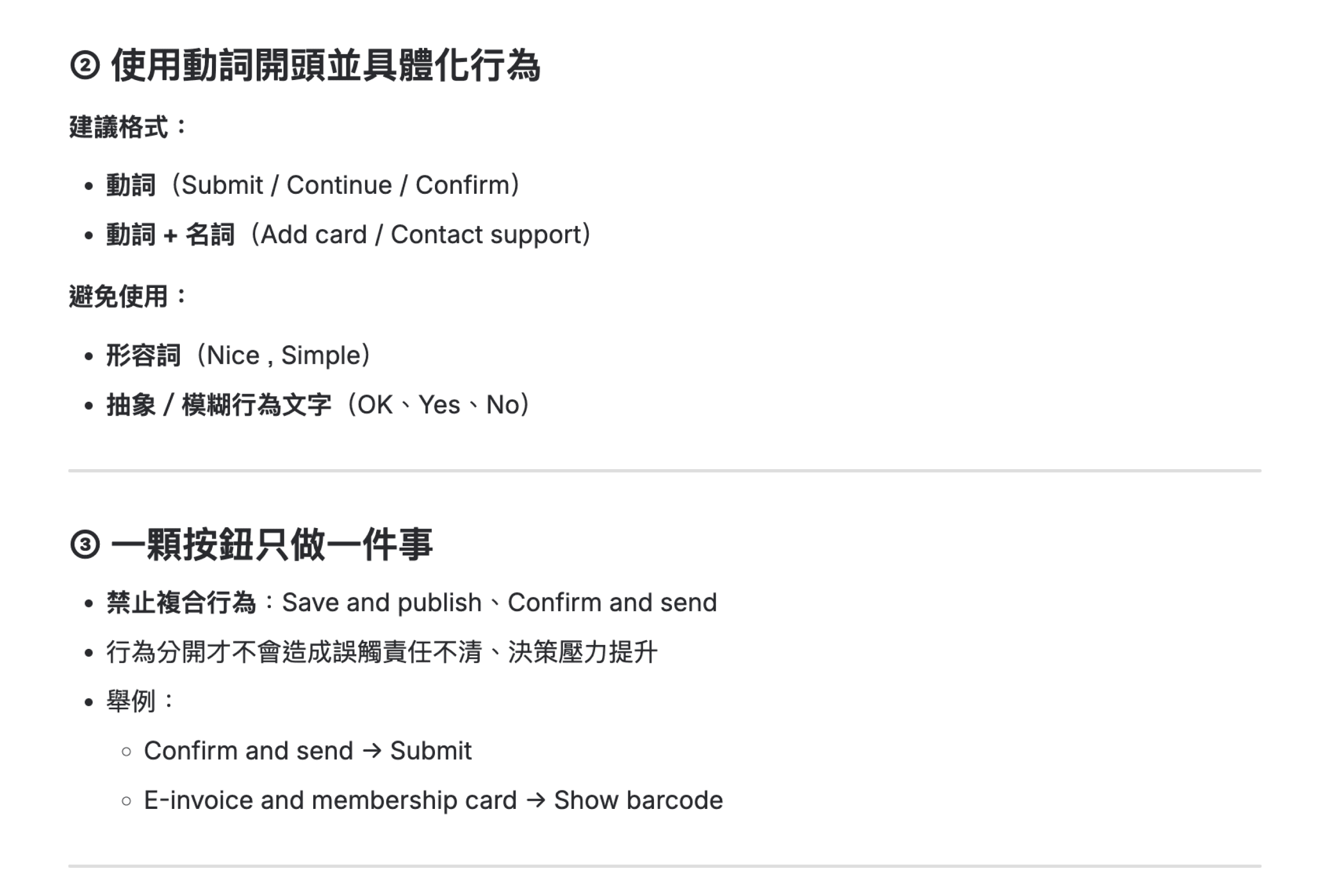
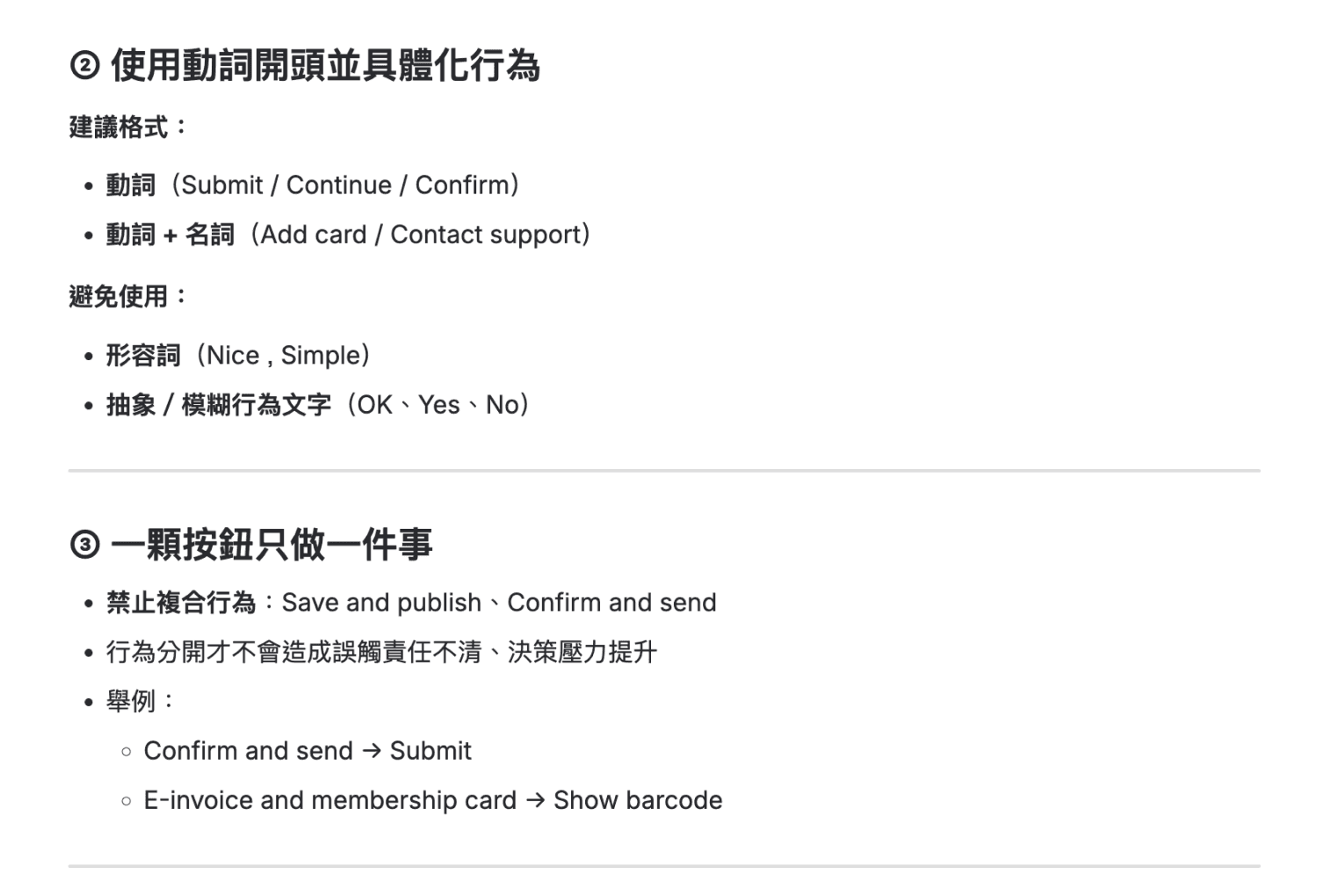
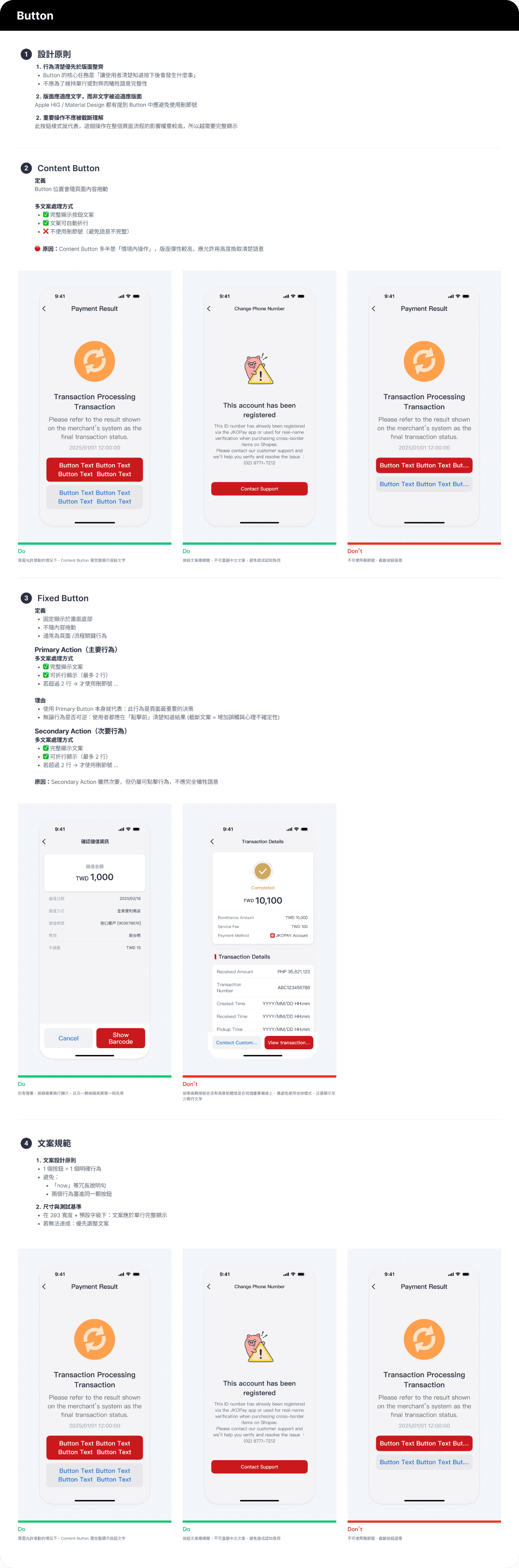
Copy Writing Guidelines
Copy Writing Guidelines
Defined shared writing rules for designers and PMs to keep labels clear and action-oriented, while reducing overflow and readability issues in multilingual scenarios.
Defined shared writing rules for designers and PMs to keep labels clear and action-oriented, while reducing overflow and readability issues in multilingual scenarios.
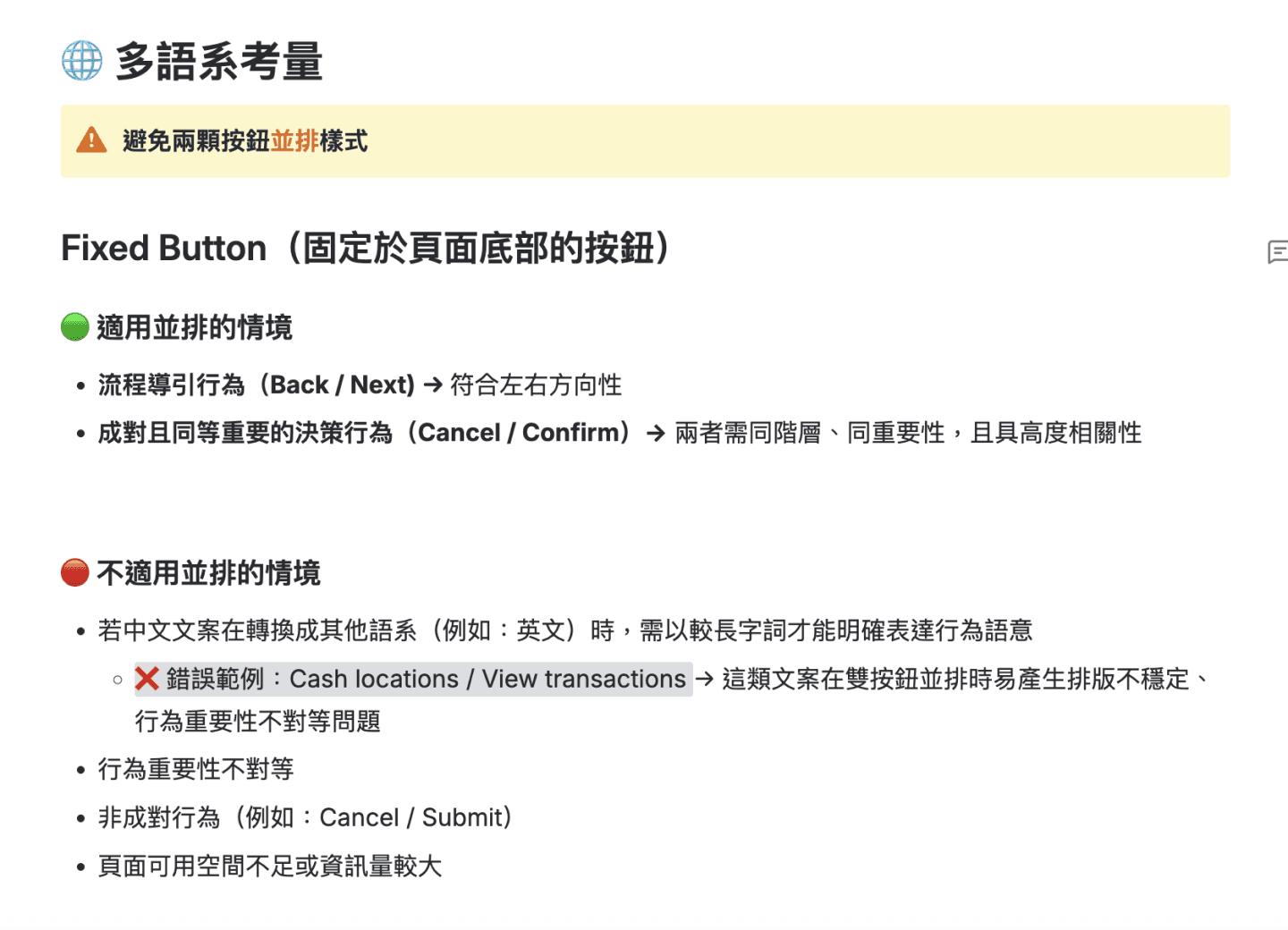
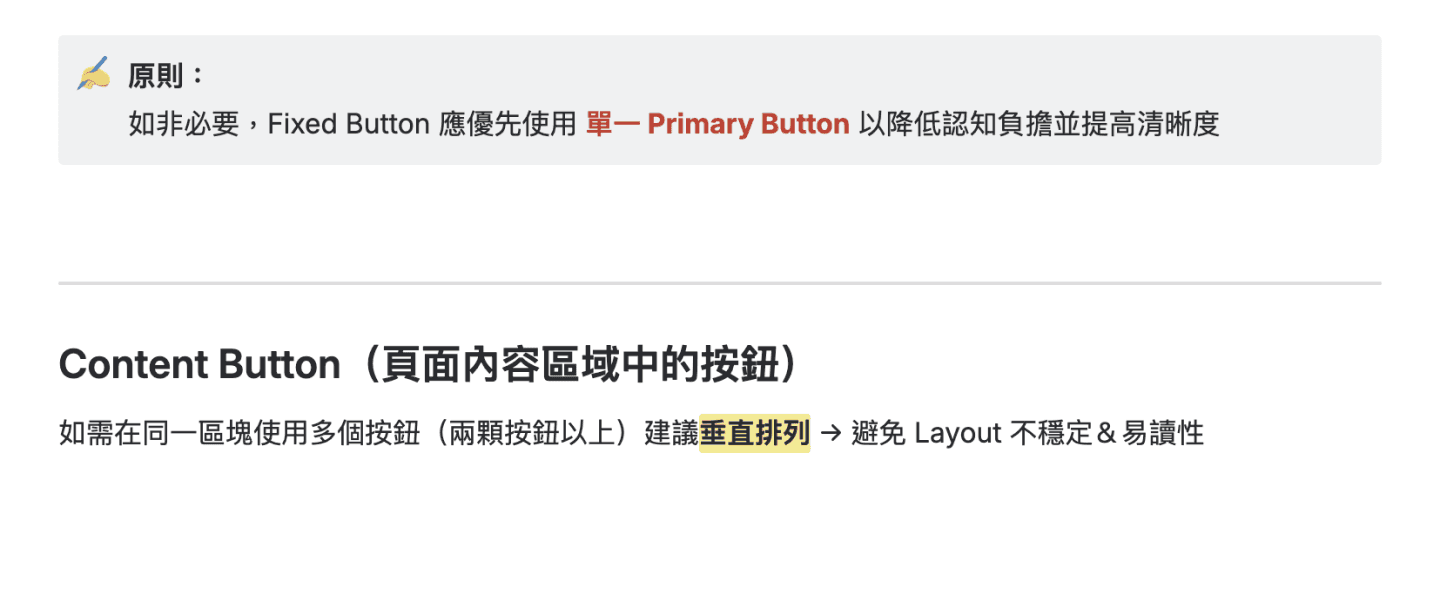
Spec Documentation
Documented long-label rules by button type so design and engineering align on display behavior and interaction logic.
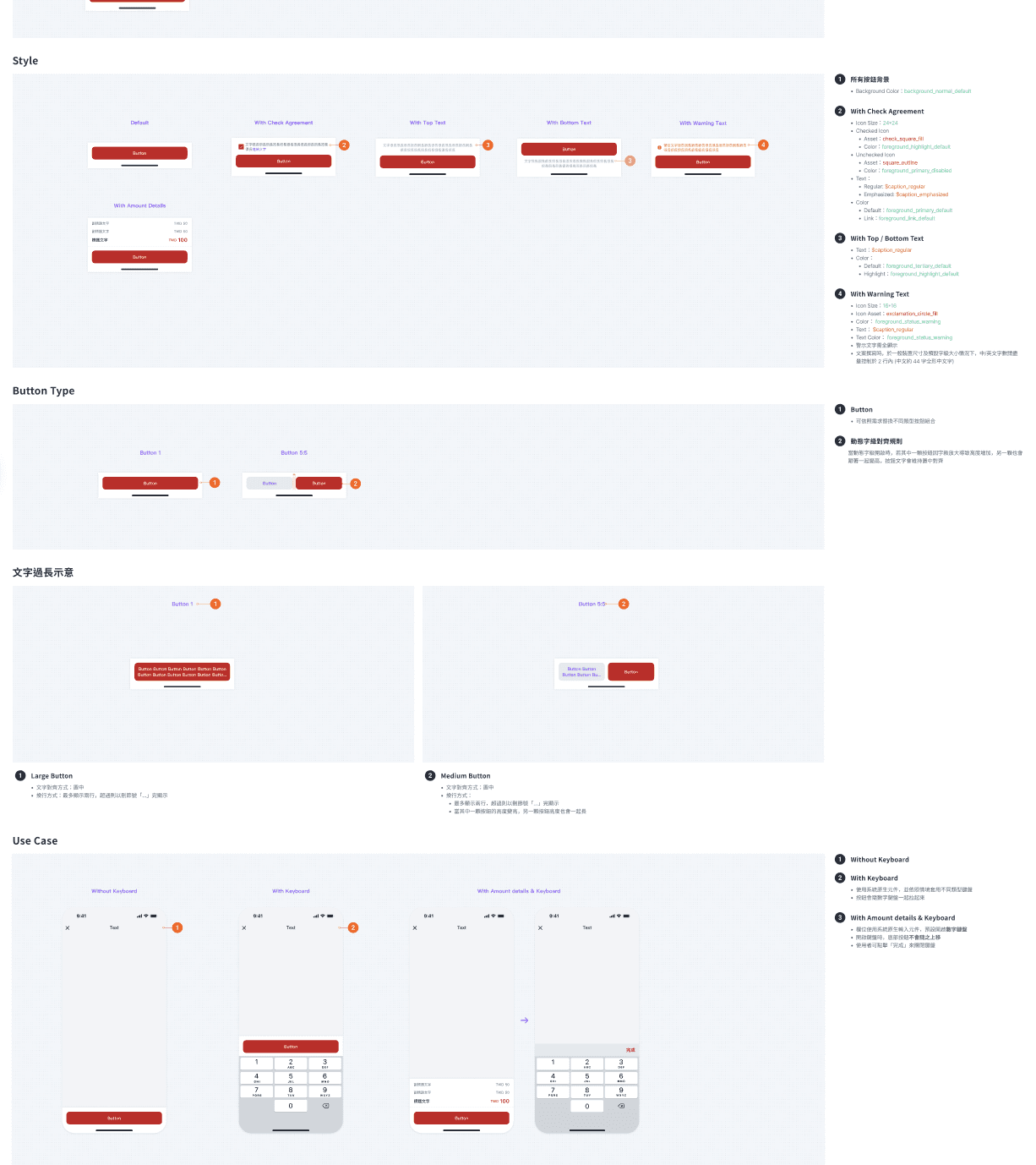
Spec Documentation
Documented long-label rules by button type so design and engineering align on display behavior and interaction logic.
Spec Documentation
Documented long-label rules by button type so design and engineering align on display behavior and interaction logic.
Key Performance
Key Performance
More consistent button UX across languages and text sizes
More consistent button UX across languages and text sizes
The guidelines ensure key action labels remain clear and understandable across languages and Dynamic Type settings, reducing issues caused by truncation or compression
The guidelines ensure key action labels remain clear and understandable across languages and Dynamic Type settings, reducing issues caused by truncation or compression
Shared copy standards for PMs and designers
Shared copy standards for PMs and designers
By pairing button specs with copywriting rules, PMs can follow clear principles during writing and translation, avoiding overly literal or long phrasing that breaks layouts and readability.
By pairing button specs with copywriting rules, PMs can follow clear principles during writing and translation, avoiding overly literal or long phrasing that breaks layouts and readability.
Shift long-label risk to the planning stage
Shift long-label risk to the planning stage
Helps teams avoid high-risk wording early in product planning stage, reducing overflow, and developemnt revisions, improving overall delivery efficiency and design quality
Helps teams avoid high-risk wording early in product planning stage, reducing overflow, and developemnt revisions, improving overall delivery efficiency and design quality
( OTHER PROJECTS )
( OTHER PROJECTS )
LET’S
( WORK )
TOGETHER
If you like my work,
feel free to contact me!
LET’S
( WORK )
TOGETHER
If you like my work,
feel free to contact me!
LET’S
( WORK )
TOGETHER
If you like my work,
feel free to contact me!
( OTHER PROJECTS )
( OTHER PROJECTS )